



Microsoft 365 Copilot
AI in the apps your team already uses
Copilot works inside Word, Excel, PowerPoint, Outlook and Teams, grounded in your email, files and meetings and limited to what each person can already open. Elevate cleans up your data first, then rolls Copilot out in stages.
A look inside Copilot
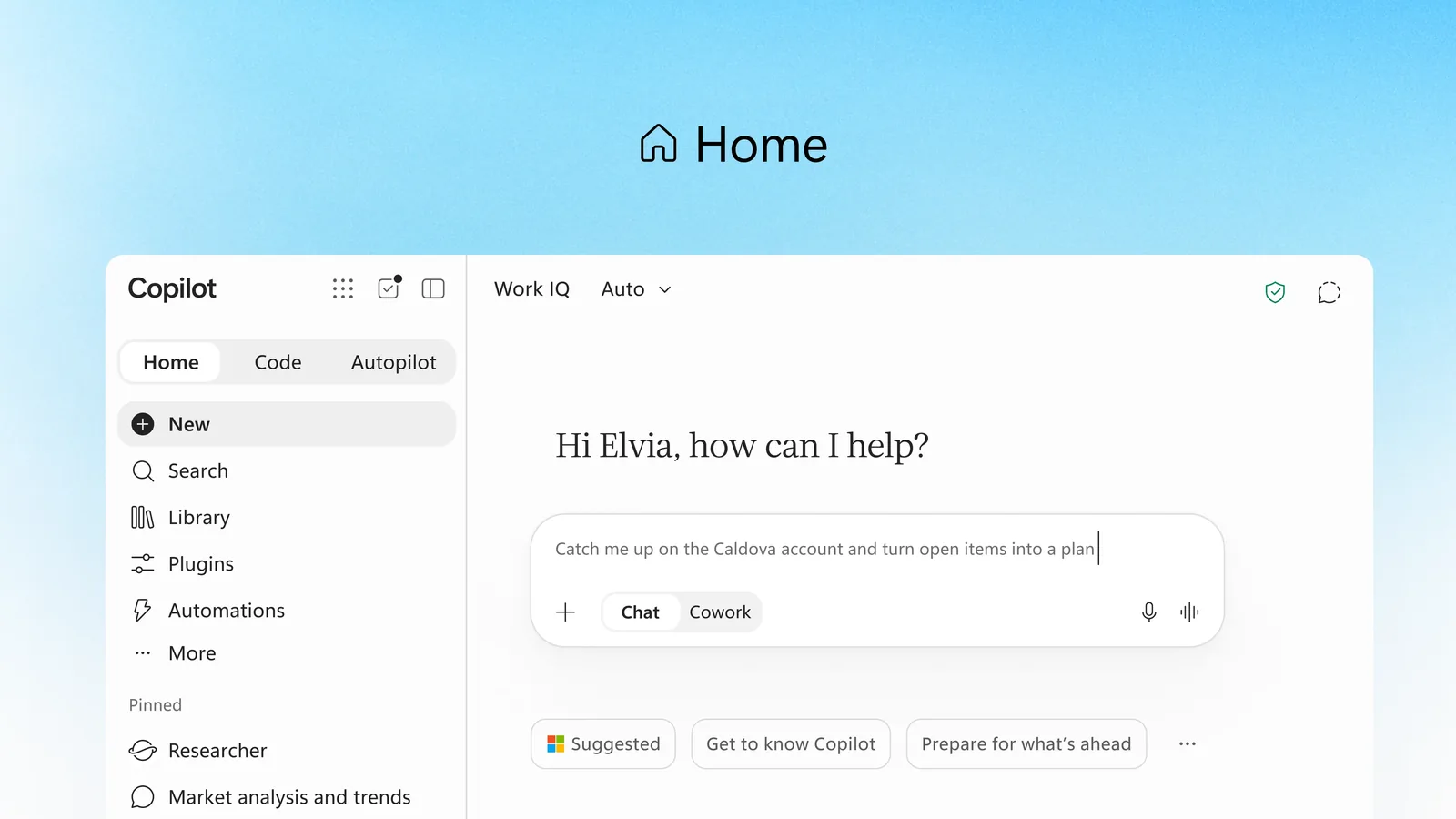
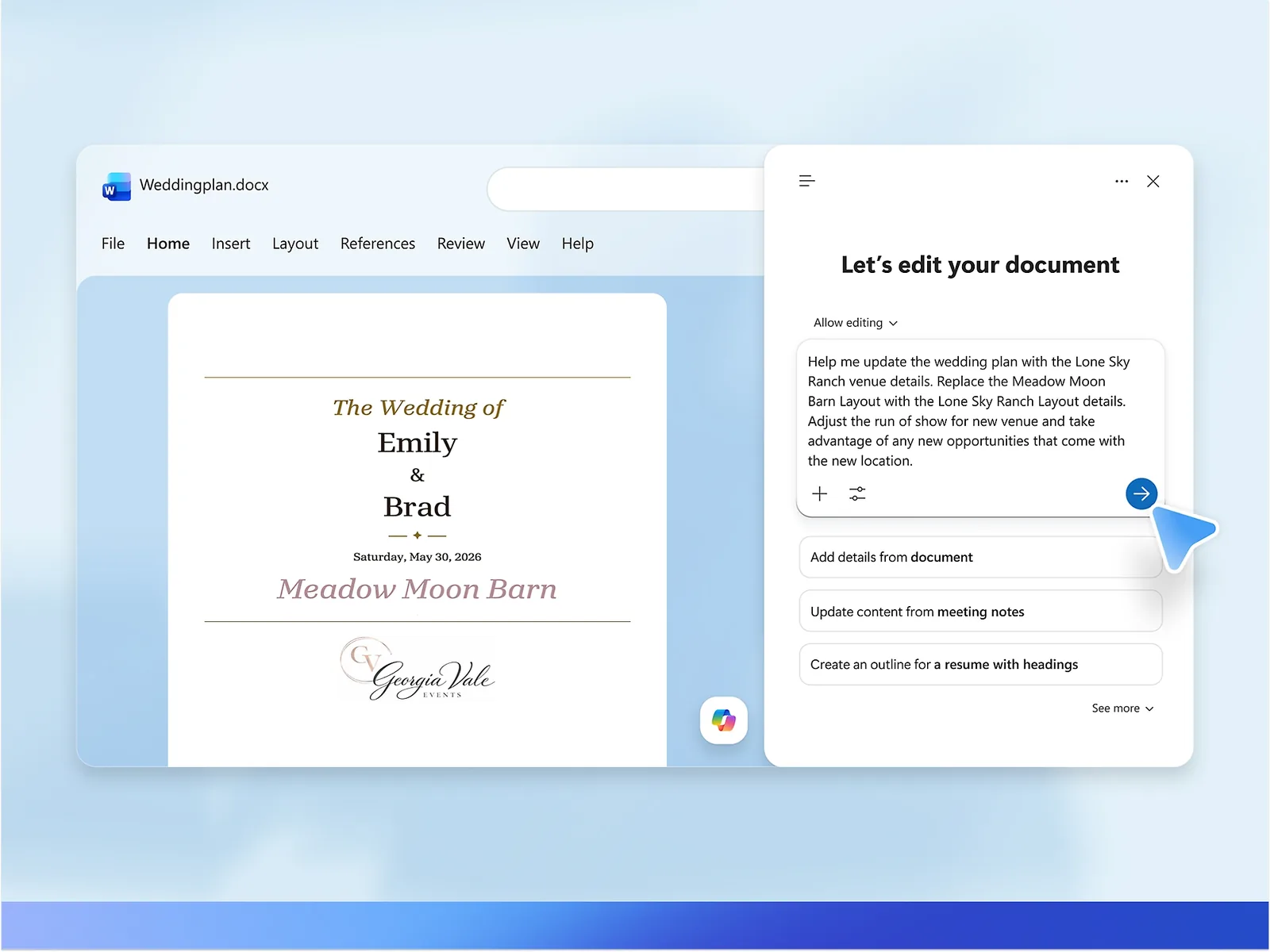
Used with permission from Microsoft.
In the apps
Where Copilot does the work
Word
Draft a proposal from your notes and files, rewrite in your tone, and summarize long documents.
Excel
Ask questions of your data in plain language, spot trends and build formulas and charts.
PowerPoint
Turn a document into a deck and tighten slides.
Outlook
Summarize long threads, draft replies and catch up after time off.
Teams
Recap meetings, list decisions and action items, and catch up on chats you missed.
Work IQ
AI chat grounded in your work data, with a choice of large language models.
Agents
Assistants that take on whole tasks
Researcher
Pre-built agent for multi-step research across your work data and the web.
Analyst
Pre-built agent for data analysis.
Facilitator
Pre-built Microsoft agent included with the "with Copilot" plans.
Cowork and Autopilot
Advanced AI experiences in apps like SharePoint, billed by usage on top of the license.
Agent Builder
Make simple agents for your team without code.
Copilot Studio
Build agents that connect to your systems and take action.
Chat vs Copilot
Which level does each person need?
| Copilot Chat | Business Premium with Copilot | Microsoft 365 E7 | |
|---|---|---|---|
| Who gets it | All business and enterprise users | Business Premium "with Copilot" version | Included in E7 |
| AI chat with web grounding | ✓ | ✓ | ✓ |
| Grounded in your email, files and meetings | Uploads and open content | ✓ | ✓ |
| Copilot in Word, Excel, PowerPoint, Outlook | - | ✓ | ✓ |
| Pre-built agents (Researcher, Analyst) | Access to agents | ✓ | ✓ |
| Copilot Cowork | - | Usage-based | Usage-based |
E5 customers add Microsoft 365 Copilot as an add-on; E7 includes it. We often license Copilot for a pilot group first and expand from what we measure.
Your data
How Microsoft protects it
Not used for training
Prompts, responses and data accessed through Microsoft Graph are not used to train foundation models.
Permission-aware
Copilot only surfaces organizational data a person has at least view permission to.
Labels honored
When Purview sensitivity labels encrypt content, Copilot honors the usage rights granted to the user.
Same protections as email
Prompts and responses get the same contractual protections as email in Exchange and files in SharePoint.
Enterprise data protection
Applies when people sign in with their Microsoft Entra work accounts.
EU Data Boundary
EU traffic stays within the EU Data Boundary.
Readiness
Four steps before the first prompt
Copilot shows people everything they can already open, including files that were shared too widely years ago. Cleaning that up comes first.
- Find oversharingWe look for files, sites and Teams shared more widely than they should be.
- Fix permissionsWe tighten access so Copilot only reaches what each person should see.
- Label sensitive dataWe set up sensitivity labels for client, financial and HR information.
- Pilot and trainWe start with a small group, train them on real tasks, measure results and expand.
Questions
Copilot questions answered
Is Copilot included in Business Premium?
Microsoft sells Business Premium with Copilot included. Some advanced features, such as Cowork and Autopilot, are billed by usage.
Will Copilot see things people shouldn't?
It only shows what a person can already open. That is why we fix oversharing and permissions before rollout.
Is our data used to train the AI?
Microsoft says prompts, responses and Graph data are not used to train foundation models.
Who should get Copilot first?
People who write, analyze or sit in many meetings. We pick a pilot group and measure time saved before expanding.
How do we keep usage-based costs under control?
We set spending limits for usage-billed features and review usage monthly.
Thinking about Copilot?
We will check your data and permissions first, then plan a pilot.