


ChatGPT Business, delivered by Elevate
Where should your team begin?
ChatGPT Business gives your team a secure workspace with shared company context, plugins, flexible seats and admin controls for users, usage and billing. Elevate sets it up, connects it and keeps it tidy.
Over 5 million business users worldwide build with ChatGPT Business.
A look inside ChatGPT
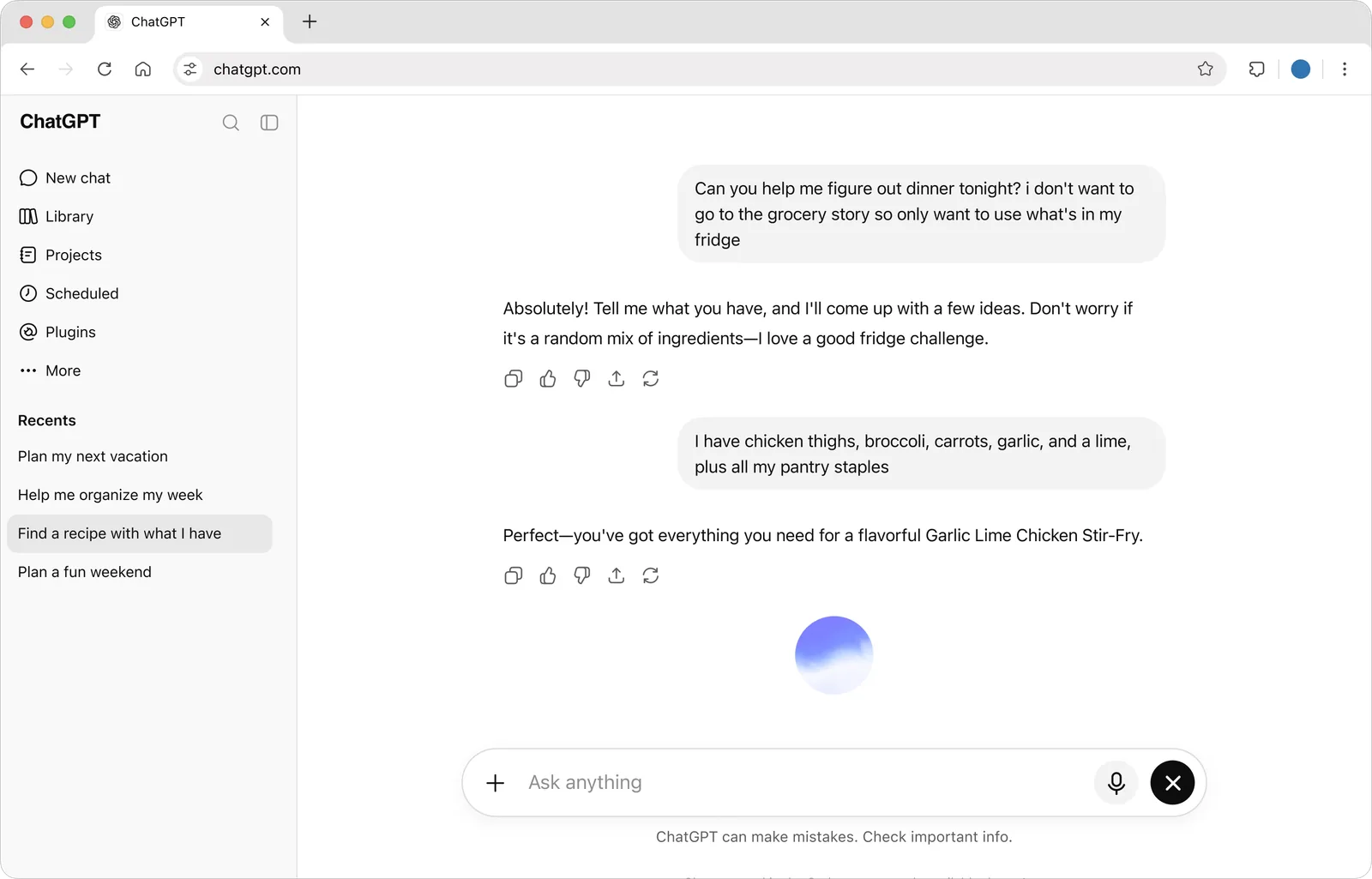
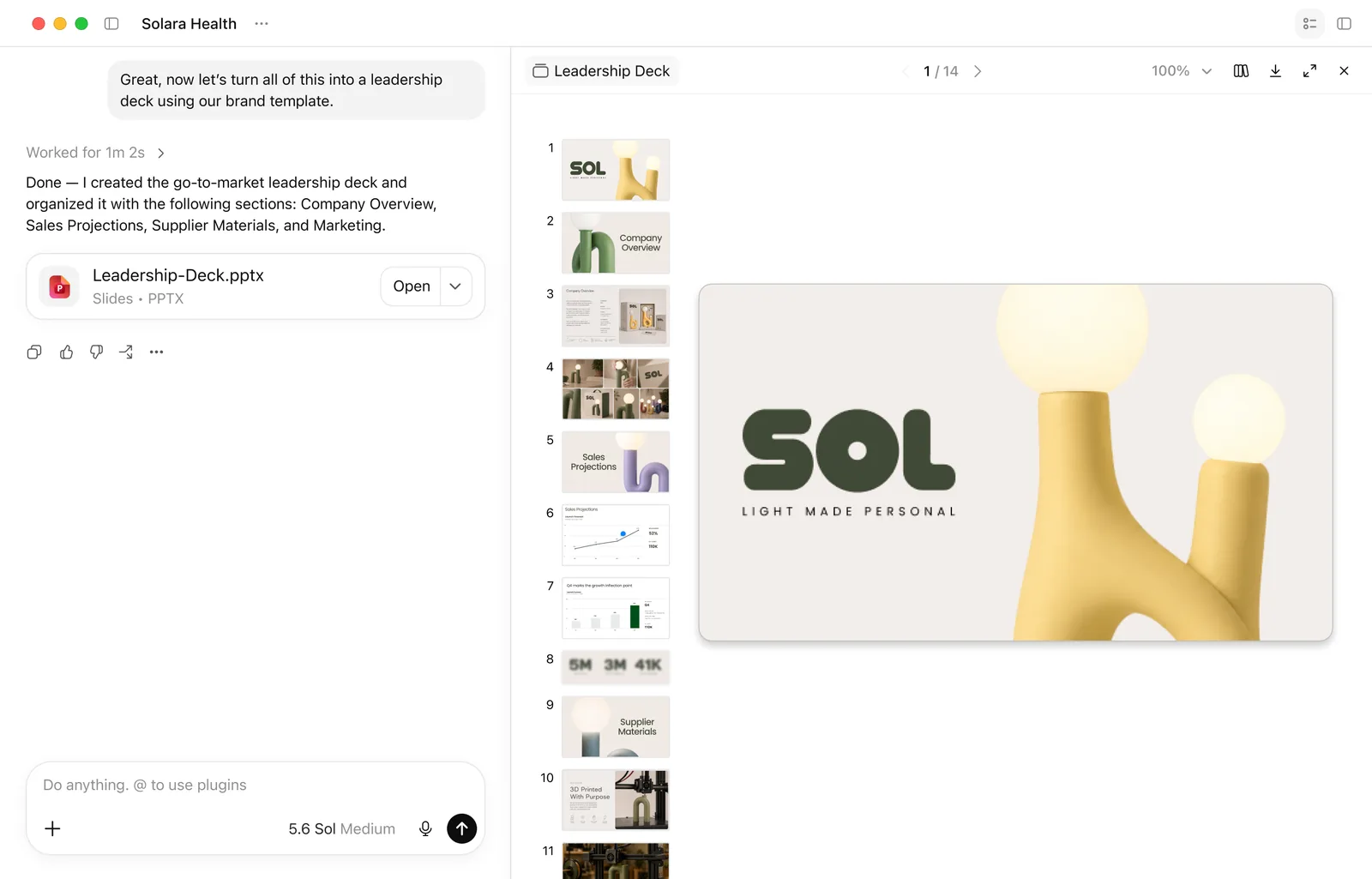
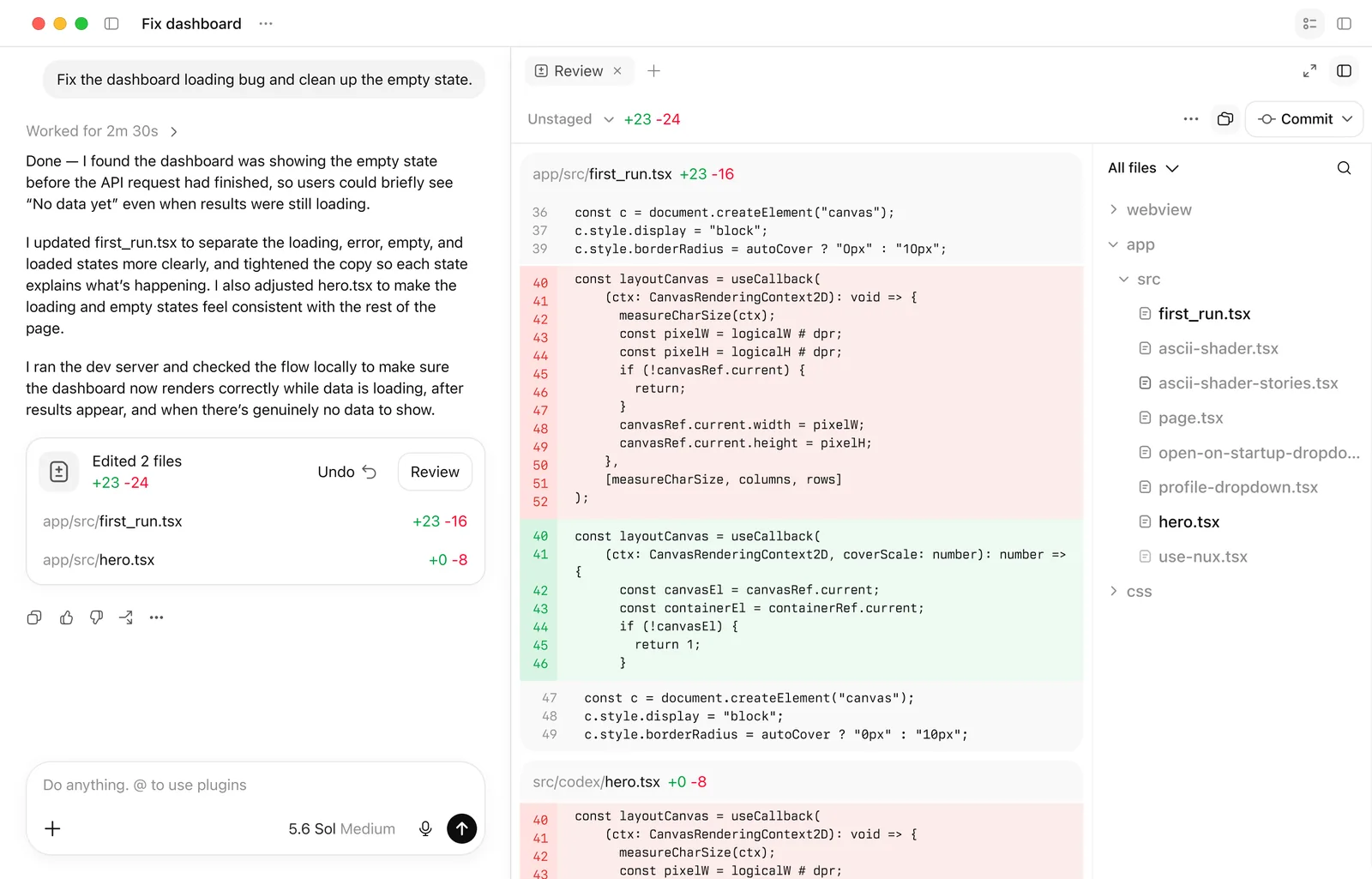
Product images: OpenAI.
Built for real work
Built for teams doing real work with AI
ChatGPT Work
Give it a goal. It gathers context, plans the steps and checks in with you for approval.
Dots
An always-on agent for Business Premium users in eligible markets.
Codex
Build, debug and ship. Codex works across your codebase and returns changes for review.
Space
Bring files and context together in living pages your team works on together.
Shared projects and tasks
Keep projects moving with shared context and scheduled tasks.
Standard and Premium seats
Mix and match seats. Premium adds more usage and access to dots.
Tools inside
Everything a busy team reaches for
- Data analysis
- Upload a spreadsheet and ask questions, get charts and spot trends.
- Canvas
- Write and edit documents and code side by side with ChatGPT.
- Record mode
- Record a meeting or a voice note and turn it into notes and actions.
- Custom workspace GPTs
- Build assistants for your own processes and share them inside the workspace.
- Images
- Create and edit images for posts, decks and mockups.
- ChatGPT for PowerPoint
- Use ChatGPT inside PowerPoint.
Connected to your work
Extend ChatGPT for the way your team works
Plugins and integrations bring company tools into the chat, so answers use your own files and records.
Named integrations come from OpenAI's business pages. Elevate connects only what each team needs.
Secure and easy to deploy
Your business data is never used to train OpenAI's models.
Encrypted at rest and in transit.
SAML single sign-on, domain verification and MFA.
SOC 2 Type 2, CSA STAR and CCPA, with GDPR support.
HIPAA support and BAAs available.
One bill, with central control of usage, permissions and spend.
Across every team
Teams can achieve more with ChatGPT Work and Codex
Checklist created in your shared project, with a scheduled task every Monday at 9:00.
Three drivers: two annual renewals, overtime in week 3 and a one-time hardware order. Chart attached.
Five posts and an email drafted from the transcript, in the tone of your past campaigns.
Account summary, last three emails, open questions and a suggested agenda.
Codex found the date-format bug, updated the test and returned the change for review.
14 accounts, sorted by drop in spend, with a table you can download.
How Elevate rolls it out
From sign-up to everyday use
- Set up the workspace. We create the workspace, verify your domain and turn on single sign-on and MFA.
- Connect carefully. We connect Drive, SharePoint or Dropbox and check what each team can reach.
- Write the rules. A short AI use policy: what data goes in, what gets reviewed, who approves agents.
- Train and right-size. We train on real tasks and move people between Standard and Premium seats as usage shows.
Questions
ChatGPT questions answered
Is ChatGPT Business data used for training?
OpenAI says business data is never used to train its models.
How small can we start?
ChatGPT Business starts at 2 users, with monthly or annual billing.
ChatGPT or Microsoft 365 Copilot?
Copilot lives inside Microsoft 365 apps; ChatGPT is a separate workspace. We help you pick by role, and some teams use both.
When do we need Enterprise?
When you need SCIM, role-based access controls or data residency. Those come with Enterprise.
Ready to roll out ChatGPT Business?
We will set it up, connect it and train your team.